


Se te lo sei mai chiesto guardando fuori dal finestrino, la risposta si chiama CitySpotter: un'app gratuita per iPhone che dà un nome alle città là sotto, in realtà aumentata — in modalità aereo, senza internet.
If you've ever wondered while staring out the window, the answer is called CitySpotter: a free iPhone app that names the cities below you, in augmented reality — in airplane mode, no internet.
Punta l'iPhone fuori dal finestrino e CitySpotter sovrappone al panorama le etichette delle città, con nome e distanza. Le etichette restano ancorate ai luoghi reali anche mentre l'aereo si muove. Funziona fino a 11.000 metri di quota e fino a 120 km di raggio — in crociera vedi decine di città alla volta.
Point your iPhone out the window and CitySpotter overlays the view with city labels — name and distance. The labels stay anchored to the real places even while the plane moves. It works at up to 11,000 metres and up to a 120 km radius — at cruise you'll see dozens of cities at a time.
Cercavi "l'app per vedere le città dall'aereo"? È questa. Si chiama CitySpotter ed è gratis.
Searching for "the app that shows cities from a plane"? This is it. It's called CitySpotter, and it's free.
Clip reale — costa francese in quota di crociera, 12 città in vista. Real clip — French coast at cruising altitude, 12 cities in view.
Installa CitySpotter e scarica i paesi che sorvolerai. Da lì in poi, niente più internet.
Install CitySpotter and download the countries you'll fly over. After that, no internet needed.
Il GPS funziona senza connessione: la tua posizione arriva da sola, senza segnale.
GPS works with no connection: your position arrives on its own, no signal needed.
L'app capisce da sola di essere in volo. Punta il telefono davanti a te e tocca Allinea.
The app detects it's in flight on its own. Point the phone in front of you and tap Align.
Inquadra il panorama là sotto: le città compaiono con nome e distanza, ancorate ai luoghi veri.
Frame the view below: cities appear with name and distance, anchored to the real places.
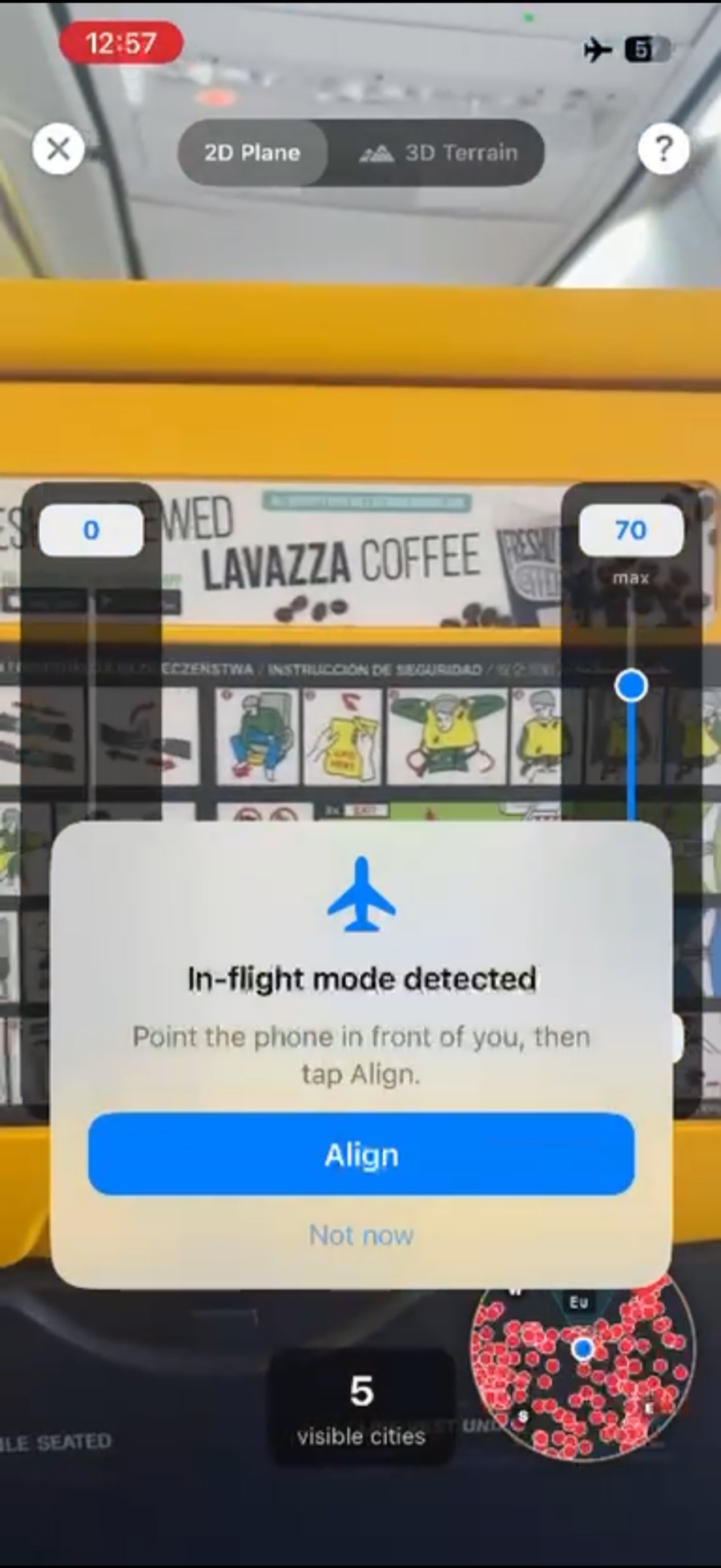
L'app riconosce il volo da sola e ti guida all'allineamento. The app detects the flight on its own and guides you to align.
Finestrino consigliato. Serve vedere fuori: un posto finestrino, meglio se con l'ala non davanti, rende tutto più semplice.
Window seat suggested. You need to see outside: a window seat, ideally without the wing in front of you, makes everything easier.
Telefono vicino al vetro. Riduce i riflessi della cabina e allarga il campo visivo.
Phone close to the glass. It cuts cabin reflections and widens the view.
Imposta la quota a ~11.000 m. In cabina pressurizzata il telefono non riesce a percepire quanto sei in alto: imposta a mano la quota di crociera con lo slider Alt e le etichette si posizionano correttamente sotto l'orizzonte.
Set the altitude to ~11,000 m. In a sealed cabin the phone can't sense how high you are, so set your cruising altitude by hand with the Alt slider — the labels then drop into place below the horizon.
Troppe città? Alza il raggio minimo per nascondere i paesini proprio sotto l'aereo e tenere solo l'orizzonte.
Too many cities? Raise the minimum radius to hide the villages right under the plane and keep just the horizon.
«Funziona perfettamente in aereo senza utilizzare i dati e quando la connessione è assente aiuta ad orientarsi.» “Works perfectly on a plane without using any data, and when there's no signal it helps you get your bearings.”
Gratis su App Store. Scarica i paesi prima del decollo e buon viaggio.
Free on the App Store. Download your countries before take-off and enjoy the ride.


Come funziona il riconoscimento? Te lo spieghiamo qui · Altre domande? FAQ How does the recognition work? We explain it here · More questions? FAQ